
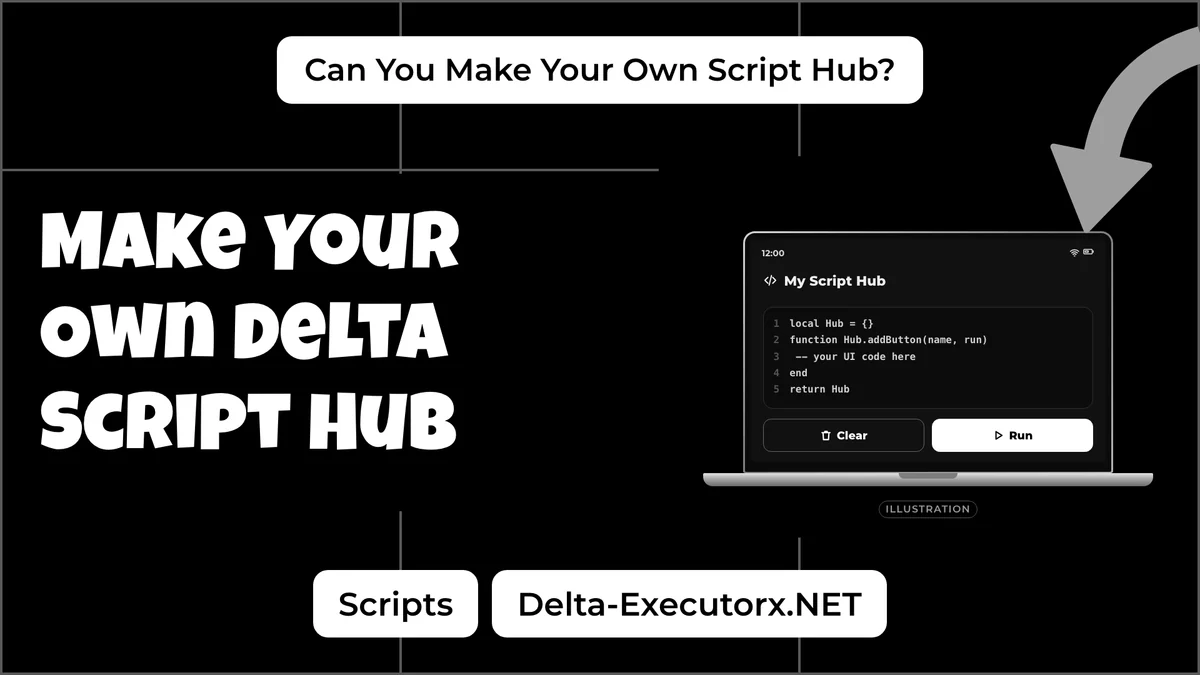
What Delta Has Instead of a Script Maker
Delta's website and documentation list no AI tool, script generator or "maker" of any kind; the app only runs code you load into it. Building an executor of your own is a much bigger project than any hub. If you still need the app itself, the latest Delta download lives on the home page, and everything else on this page happens outside it.
What Delta does have is a built-in Script Hub, a saved-scripts list that lets you run a favourite again without pasting it each time. The Delta script manager guide shows how to save and organise scripts there. When this page says "your own script hub", it means something different: a menu script you build yourself, with tabs and buttons, which Step 3 takes apart piece by piece.
Delta Executor Script Maker Red Flags
- An app or site called "Delta AI script maker". Some fan pages claim Delta added one; it isn't from Delta's developer. The free tool for making Roblox scripts is Roblox Studio.
- A "script maker" .exe or APK download. There is nothing to download from Delta for this, so treat any such file as a malware risk.
- A chatbot that promises scripts for any game. It has never seen the game you play, and Step 4 shows what any script can and can't change.
- A "free" maker behind ad links and one-hour keys. The ad links earn the page money; the code at the end can be fake or unsafe.
- Someone selling "server-sided" scripts. A script on your phone can't run code on the game's server, which server-side scripts explained covers in full.
Code you did not write carries its own risks, so check where it came from with a ranking of Roblox script sources before you run it.
How Is a Studio Script Different From a Hub?
A Roblox Studio script runs inside a game you own, and Roblox fully allows it. A script hub for Delta runs inside other people's games, which breaks Roblox's rules.
| Roblox Studio script | Script hub for Delta | |
|---|---|---|
| Where it runs | Your own game | Other people's games |
| Device | Windows or Mac computer | Phone works (Android and iOS) |
| Allowed by Roblox? | Yes | No |
| Who sees the effect | Everyone in your game | Mostly only you (see Step 4) |
| Ban risk | None | Yes, and it can reach your alt accounts |
| AI help | Assistant, built into Studio | Any chat AI, but age rules apply (Step 2) |
| Skill you learn | Real Luau coding | The same Luau |
The "No" in that table is about the account, not the code, and what a Delta ban can cost is worth reading before you run a hub.
Step 1: Make Your First Roblox Script in Studio
To make a Roblox script, open Roblox Studio, add a Script to ServerScriptService and press Test. Studio is free on Windows and Mac.
-
Install Roblox Studio and sign in with your Roblox account. It needs Windows 10 or macOS 10.14 or newer and at least 3 GB of RAM; Roblox recommends Windows 11 or macOS 14 with 8 GB.
-
Open a new place.
-
In the Explorer window, hover over ServerScriptService, click + and choose Script. Rename it so you can find it later.
-
Read the first line. Every new script starts with Roblox's own starter code:
print("Hello world!") -
Open the Window menu, choose Output, then press Test. The text appears in the Output window. Press Stop when you are done.
When something breaks, the error shows up in red in that same Output window, and Step 2 uses those errors to get AI fixes.
Script vs LocalScript
A Script in ServerScriptService runs on the server, while a LocalScript runs only on the player's own device. Picture the server as the referee who keeps every player's game in sync, and a LocalScript as your own screen, handling menus and buttons.
A script in the wrong place does nothing at all, with no error to explain why. A LocalScript belongs in a client spot such as StarterPlayerScripts or StarterGui, and Roblox's guide puts LocalScripts in the Starter folders, never in ServerScriptService. AI tools sometimes write a plain Script with its RunContext property set to Client instead, which Roblox suggests keeping in ReplicatedStorage. Check that field in the Properties window before you move the script anywhere.
Delta's docs say most executor scripts are client-sided, which means they behave like a LocalScript on your phone. The basics of what a Roblox script is cover how game scripts and exploit scripts differ, and Step 4 shows what that means for the hub you build.
How to Make a Roblox Script on Mobile
You can't build or test a Studio script on a phone, because Roblox Studio is only for Windows and Mac computers. There is no tablet or Chromebook version either, and Assistant lives inside Studio. Delta is the reverse: it has no Mac build, and Delta on a Mac runs only through an emulator. Roblox's newer Build tool makes games from a text prompt inside the Roblox mobile app, but it opened in July 2026 as an early test in New Zealand only.
A phone still covers the early work. You can write or edit code text in any notes or code-editor app, and learn the hub parts in Step 3. Finished scripts can then sit in Delta's Script Hub next to the ones you get from script pages for Delta. For running code in a game you own, Roblox scripts with no executor at all covers why Studio is the only real option.
Step 2: Make Delta Scripts with AI
Roblox Studio's built-in Assistant is the easiest way to make a Roblox script with AI: you describe what you want, and it writes and explains the code inside your game. Chat AIs like ChatGPT also work, but you paste and test their code yourself.
| AI tool | Can it see your game? | What it does | Best for |
|---|---|---|---|
| Studio Assistant | Yes, the objects and scripts in your place | Creates, edits and deletes scripts and objects | Whole features and explaining code |
| Code Assist | Only the script you are typing in | Suggests the next lines from your code and comments | Finishing a line you started |
| ChatGPT, Claude or Gemini in a browser | No, only what you paste in | Writes text you copy into Studio by hand | Second opinions and questions |
A browser chatbot guesses your part names and folder layout, while Assistant reads them, which is why the same request can work in one and fail in the other.
How to Use the Roblox Studio Assistant
- Find the Assistant button toward the right end of the mezzanine bar, Studio's toolbar along the top, and click it.
- Type your request in plain words, for example: "Make a door in my game that opens when a player touches it."
- For a bigger job, type
/planto switch on Planning Mode. It lists the steps first, and nothing changes in your game until you click Build. - Playtest the result and check the Output window.
You can also highlight existing code and ask Assistant what it does. Roblox itself warns that a script Assistant writes might not run flawlessly, so edit it by hand or ask Assistant to fix it. DevForum users also report it saying a task is finished when it isn't, so trust the playtest, not the summary.
Roblox caps procedural models at 50 in any rolling 24 hours and puts no limit on the number of chats. Builders on the DevForum in June and July 2026 also hit a daily request limit, and Roblox hasn't said how big it is. Short, single-feature requests use that allowance best.
Assistant is built into Roblox Studio, which is free, and Roblox opened it to everyone using Studio in December 2024. The full walkthrough is in Roblox's Assistant guide.
How to Make a Roblox Script with ChatGPT
Ask the chat AI for one feature using the checklist below, paste the reply into a Script in Studio, then playtest. Check the age rules before you start, because many players hit them. ChatGPT is for ages 13 and over (or older if your country says so), and under 18 you need a parent's or guardian's permission. Google AI Studio and the Gemini API are for ages 18 and over.
Skip the "jailbreak" prompts passed around in video comments. They try to trick the AI into writing cheat code, and that code still runs into the client and server limits in Step 4.
AI Prompt Checklist for Roblox Luau
- Say "Roblox Luau", not just "Lua". Luau is Roblox's own version of Lua.
- Name Script or LocalScript, and where it goes, for example ServerScriptService.
- Ask for one feature in your own game, such as a door that opens when touched.
- Ask for
task.wait, notwait(). AIs still write the oldwait,spawnanddelay, which Roblox marks as deprecated. - Ask it to explain each line, so you learn what the code does instead of copying it blind.
- Playtest, then paste any red Output error back and ask for a fix.
- Ask who checks the request. If the code uses a RemoteEvent, ask the AI to make the server check what the player sends. Roblox says the server has to be the source of truth.
- Ask "Make this shorter without changing what it does." It will turn repeated lines into loops, functions or tables. Playtest again afterwards.
Here is the checklist as one request for Assistant or a chat AI:
Write a Roblox Luau Script for ServerScriptService in my own game.
When a player touches the part named Door, make the door see-through
and let players walk through it for 3 seconds, then close it again.
Use task.wait, not wait(). Explain each line in simple words.
If the door never opens, check the part's name first: the AI only knows the name you typed, so it must match the part in Explorer letter for letter.
Roblox Studio Output Errors in AI Code
Four red Output lines come up again and again with AI-written Roblox code. Fix the cause, and paste the line back to the AI only if that doesn't work.
| Output message | What went wrong | Fix |
|---|---|---|
Door is not a valid member of Workspace "Workspace" | The name in the code doesn't match Explorer, or the part sits inside a model or folder | Match the name exactly, including capitals, or give the full path such as workspace.Folder.Door |
attempt to index nil with 'Character' | The AI used Players.LocalPlayer inside a server Script, where no local player exists | Get the player from the event instead, for example Players:GetPlayerFromCharacter(hit.Parent), or move client code into a LocalScript |
Expected 'end' (to close 'function' at line 3), got <eof> | A block was never closed, for example because the reply was cut off or the last lines missed the paste | Copy the whole reply again; every function, if and for needs its own end, and event connections close with end) |
Http requests are not enabled. Enable via game settings | The code calls HttpService, which stays off until the game owner turns it on | Turn on Allow HTTP Requests under File > Experience Settings > Security |
The last row matters for hubs. A loader pulls code from a web address, and if you test any web fetch inside your own Studio game, HttpService refuses it until that setting is on.
Step 3: Build a Delta Script Hub
A Roblox script hub is a single script that opens a menu with a window, tabs, and buttons or toggles. Each control runs its own small piece of code, called a callback. To make one, list your features, group them into tabs and give every control a callback.
| Part | Its job | Think of it as |
|---|---|---|
| Window | Holds everything | An app screen |
| Tab | Groups features | A page in a notebook |
| Section | A smaller group inside a tab | A heading on that page |
| Button, toggle, slider, keybind, text box | The control you tap or type in | A light switch |
| Callback | Code that runs when you use a control | The bulb the switch turns on |
| Loader | Fetches the hub's code from the web | A delivery box |
| Key system | Checks a key before the menu opens | A door lock |
| Saved settings | Remembers your choices | A bookmark |
Window, Tabs and Buttons
A button does one action, a toggle switches something on or off, and a slider sets a number such as a speed value.
Always add one show or hide button for the whole menu, so it never covers the game. In your own Studio game, the same kind of menu is built from a ScreenGui, the container for on-screen 2D UI. Placed in StarterGui, it gives every player a copy when their character spawns.
Callbacks
A button's callback runs once per tap, while a toggle's callback starts something when you switch it on and stops it when you switch it off. Give each callback one job, so when an option breaks you know exactly which one to fix.
An "auto farm" option is just a toggle whose callback repeats one action in a loop until you turn it off, and every loop needs a short task.wait inside it. A Clean The Library auto sort script is the same idea: one loop that picks up a book and carries it to its genre shelf. Those loops depend on how one game is built, which is why the Blox Fruits script guide sees auto farm stop after game updates.
Loader and Key System
Big hubs keep their code online instead of handing it all over at once, and a loader is the one short line that fetches it. That makes the web address the real owner of what runs on your device, so learn how a loadstring works before you trust one.
Many hubs also add a key system of their own, separate from the free Delta key. A hub marked "keyless" still needs Delta's key, as the page on Delta keyless versions explains.
How to Make a Delta Script
A Delta script is ordinary Luau that runs on your own device, so you make it the same way as any client-side code. Write and test the logic as a LocalScript in your own Studio game first, where the Output window shows real errors. Then paste the finished code into Delta's editor, run it, and save it to Delta's Script Hub if it works. A hub you open every session can go one step further, since Delta's auto execute folder runs whatever sits inside it each time Delta loads.
Expect two differences. Code that reaches for things only the server owns does nothing, as Step 4 shows. Parts you named in Studio won't exist in someone else's game. That is why public hubs such as the Steal a Brainrot scripts for Delta are written for one game each. When your script throws an error instead of doing nothing, look the message up in the Delta script error fixes before you ask the AI to rewrite it.
Step 4: Check What Your Script Can Change
Your own game shows exactly what a script changes, so check there before you trust any AI promise. Press Test, run the feature, then click the Client/Server toggle in the mezzanine: Server mode shows the game as the server keeps it. A change that vanishes in Server mode, such as a menu or a "free items" counter, is only on your screen. Your character's movement can still show up for others. What a Roblox executor can change explains why the server has the last word. The universal scripts guide rates common types such as fly and ESP.
How to Make a Ban Script in Roblox
A ban script only works in a game you own; a Delta script can't ban anyone in someone else's game, for the reasons in Step 4. Roblox gives developers a ban tool, Players:BanAsync, which you call from a server Script.
As the developer, you choose who to ban and for how long, and a ban can be permanent. By default it also covers the player's suspected alt accounts, which you can switch off. An optional device block stops a Windows or Mac device rejoining for 24 hours; it is off unless you turn it on. You can ask Assistant for an admin-only ban command that uses Players:BanAsync, then read the code and playtest it before you publish.
FAQ
Can you use ChatGPT or Claude inside Roblox Studio?
Yes. Assistant can run on your own API key from Anthropic, OpenAI or Google: open Assistant, click the three-dot menu and choose Manage API Keys. AI coding tools outside Studio can also edit your game through Roblox's open-source Studio MCP server.
Do you need coding to make a script hub?
You can start without it, since Assistant explains each line it writes. Learning what a callback, a loop and a LocalScript do will save you hours once something breaks.
Is AI-written Roblox code safe?
Code that Assistant writes inside your own game is as safe as you make it: read it, then playtest it. Treat code for an executor the same way, and run nothing you cannot follow line by line.
Is using AI in Roblox Studio against the rules?
No. Assistant is Roblox's own built-in tool. Using any AI to make exploits breaks the Community Standards just like any other exploit.
Can a tool write a Roblox script for me?
Yes. Assistant inside the free Roblox Studio writes Luau straight into your own game, and a chat AI can draft code you paste in yourself.
How do you make someone join you in Roblox?
In your own game, TeleportService:TeleportAsync() moves players to another place in that game, though it doesn't work in a Studio playtest, so publish the game first. Joining a friend's game needs no script at all.
Conclusion
The real script maker is Roblox Studio, where you learn Luau while Assistant writes and explains the code. Build the hub one callback at a time and check each one in Server mode before you move it to Delta. When a finished script is ready, Delta's run steps for each device take it into a live game.