
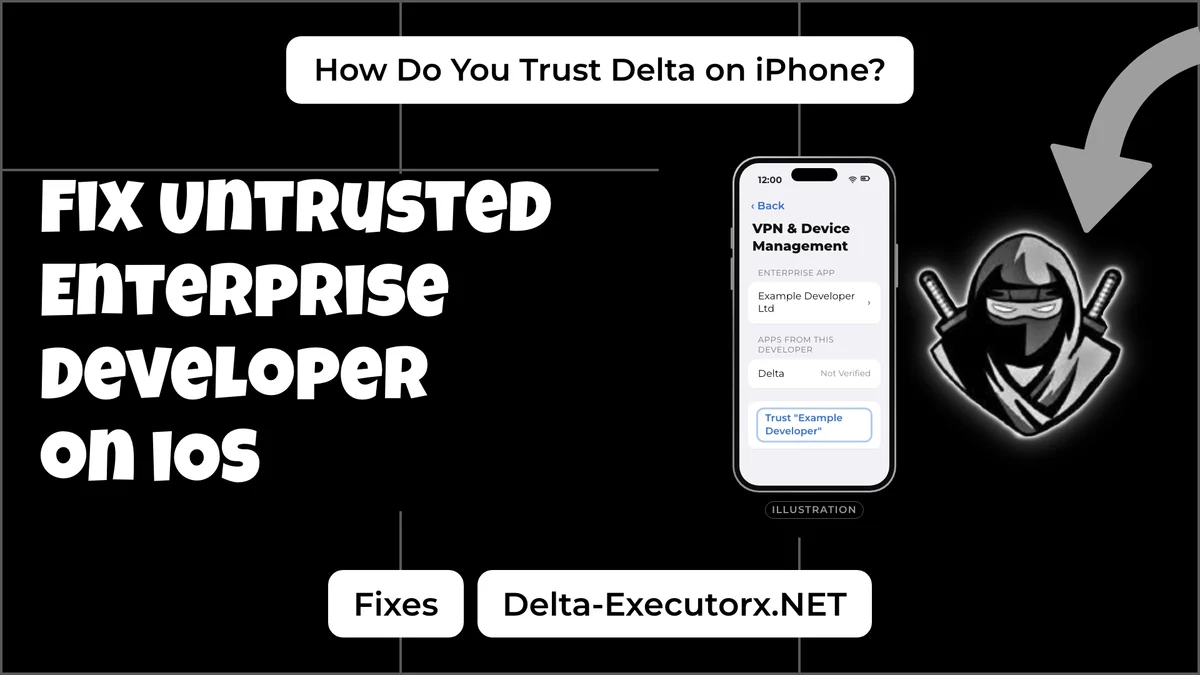
What Does Untrusted Enterprise Developer Mean?
Untrusted Enterprise Developer means iOS found an app that did not come from the App Store and has no record that you accept its signer. Apple lets companies sign apps for their own staff with an enterprise certificate. A phone that installs one of those apps by hand has to approve the company once before the app may open.
Delta is not in the App Store, so every iPhone copy is signed by someone. Delta's developer ships the IPA (iOS app package) file unsigned, and whoever signs it puts their own company name on it. That is why the name in your Settings is a firm you have never heard of. It is the signer, not Delta, and it changes when you install a copy signed by someone else.
Until you approve that name, tapping the Delta icon only shows the alert, and the app closes when you tap Cancel. Nothing is broken at this point.
Why Does Delta Show the Untrusted Developer Error?
The Untrusted Developer alert on Delta shows up in one of four situations:
- First launch. A copy from a signer you have never trusted shows the alert the first time you open it.
- A new signer. Trust belongs to one certificate. A reinstall or update signed by a different company counts as a new developer and asks again.
- You removed the developer. Tapping Delete App on the developer page removes trust along with every app from that company.
- A signer app came first. A signing app used to install Delta may need trust of its own before it opens, so the alert can belong to that app rather than to Delta.
The alert says nothing about whether the file itself is genuine. It only means the trust step has not happened for this certificate yet.
How to Fix Delta Executor iOS Untrusted Developer Error
Apple documents the same five steps for every manually installed company app, and they work on iPhone and iPad alike. Keep Wi-Fi or mobile data on the whole time, because the phone checks the certificate with Apple as you tap.
Step 1: Open Delta and Tap Cancel
Tap the Delta icon once and dismiss the alert with Cancel. Apple's trust steps start from this first launch, so do it before you open Settings.
Step 2: Go to VPN & Device Management
Open Settings, tap General, then VPN & Device Management. On iOS 14, the oldest version Delta supports, look under General for an item with Device Management in it.
Step 3: Tap the Developer Under Enterprise App
Find the Enterprise App heading and tap the company name listed under that heading. Leave work, school and VPN profiles alone, since they belong to other apps and services.
Step 4: Tap Trust and Confirm
Tap Trust followed by the company name. On iOS 18 and newer, Apple asks you to tap Allow & Restart, and the phone reboots before you finish the prompts. On older versions a second Trust tap ends the process. Both paths follow Apple's own trust instructions.
Step 5: Open Delta Again
Tap the Delta icon. It should open to the key screen, and the free Delta key steps take it from there. Other apps signed by the same company now open without asking.
Trust a Copy Signed With Your Apple ID
A Delta copy you signed yourself with a computer tool shows its own version of the untrusted developer alert. It names "Apple Development" plus your email, and the developer sits under Developer App instead of Enterprise App. Trust it there in the same way.
On iOS 16 and newer that copy also needs Developer Mode switched on under Settings, Privacy & Security, and Apple warns that Developer Mode reduces the security of your device. Each install route and its limits are laid out in the Delta for iPhone and iPad guide.
What If Trust Is Missing or Doesn't Work?
A missing Trust button, or a second iPhone alert after trusting, has a cause other than trust, so tapping Trust again won't change it.
No Trust Button or Developer Listed
When VPN & Device Management shows no Enterprise App heading, the install usually stopped partway, the phone was offline, or the certificate is already dead. Delete the icon, reconnect and install the copy again, then repeat the five steps.
Unable to Verify App Alert
Unable to Verify App and Not Verified both mean the iPhone could not confirm the signer's certificate with Apple. Trust tapped offline leaves the developer marked Not Verified. Get online, then tap Verify App on that same page. If the phone says "Unable to Verify App" and asks for an internet connection, check three causes in this order. You may be offline, Apple's check server may be down for a while, or the signer's certificate may no longer work on your device. School, work and VPN networks can block the check, because the phone must reach Apple's check server at ppq.apple.com, so retry on mobile data with the VPN off.
Which Delta iOS Alerts Does Trust Fix?
Each iPhone alert maps to its cause, whether Trust clears it and the fix to try first.
| Alert on your iPhone | What it means | Does Trust fix it? | What to do |
|---|---|---|---|
| Untrusted Enterprise Developer | Signer not approved yet | Yes | Trust under Enterprise App |
| Untrusted Developer, naming Apple Development | Signed with your own Apple ID | Yes, plus Developer Mode | Trust under Developer App |
| Not Verified | Trust was tapped offline | No, Verify App does | Get online, tap Verify App |
| Unable to Verify App | No connection, Apple server issue, or a blocked certificate | No | Go online, wait, then try a new signer |
| Integrity could not be verified | iOS rejected the signature | No | Sign the IPA again |
| Delta is no longer available | Apple pulled the signing certificate | No | Get a copy from a new signer |
The integrity and no longer available alerts are certificate problems, so no setting on the phone clears them. If you switched to an Android phone and the install fails there, the Android app not installed fixes match those errors instead.
Delta Stopped Opening After You Trusted It
Trust cannot bring back an app whose certificate Apple has revoked. The phone caches each certificate check for several days, according to Apple's in-house app rules, so a revoked copy can keep opening and then stop without warning. Each certificate case and its re-sign fix are listed in the Delta crash and launch fixes. If Delta opens but stops at an upgrade prompt instead, the live Delta status check shows whether it is simply waiting on a Roblox update.
FAQ
Is it safe to trust the Delta developer?
Trusting the signer listed in Settings lets every app from that company run, so it is only as safe as the IPA it signed. Sign the IPA from Delta's own developer, not a renamed copy from a video link, and skip "anti-revoke" profiles from random sites. Roblox also bans exploit use, and how Roblox bans Delta players covers what that risk looks like.
Do I need to trust Delta after updating?
You need to trust again only when the updated Delta copy comes from a different signer. The same certificate keeps its trust until you tap Delete App.
Can I trust Delta Executor without internet?
No. The phone has to reach Apple to check the certificate, so finish the steps once you are back online.
Should I factory reset my iPhone?
No. A reset does not change the certificate on your copy of Delta, so try a freshly signed copy first and keep your data.
How do I remove the trusted developer later?
Open the developer page in VPN & Device Management and tap Delete App, which removes trust and every app that company signed. The full Delta removal steps also list what else to clear.
Conclusion
Read the exact alert before you tap anything. Trust clears the two Untrusted alerts and Verify App clears Not Verified. Unable to Verify App needs a connection first, and the certificate alerts need a freshly signed copy. If Delta opens but the key, injection or scripts fail next, the step-by-step Delta Executor not working checklist shows where it breaks.